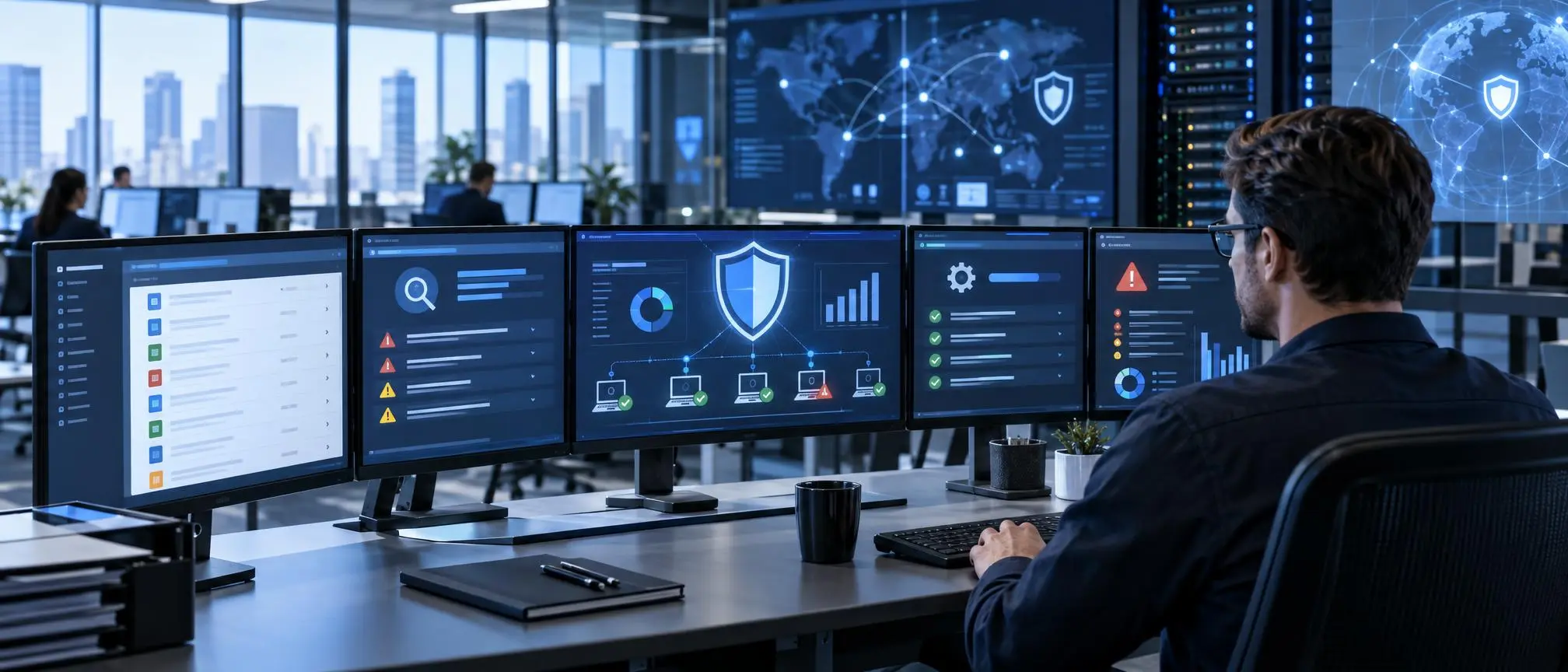

Modern businesses use dozens or hundreds of applications to manage different aspects of their business. From communicating with clients to project management, applying development and testing tools, or simply doing business, the use of multiple software applications is prevalent. With the number of applications in use increasing, the IT department often finds it difficult to manage the security of the applications in use.
An out-of-date application can increase a company’s risk exposure, especially if the IT department doesn’t have a clear application inventory of the applications deployed on company devices.
This is where a corporate software inspector comes in handy.
The term is often associated with software inventory, vulnerability assessment and prioritization, and security monitoring and patch management in large enterprises. It is also historically associated with the Secunia Corporate Software Inspector and the Flexera Software Vulnerability Manager products.
The fundamental concept of a software inspector is to identify all the applications deployed in the enterprise, assess their security version, rank the threats, and provide an update to resolve the threat.
In this document, we present the concept of software inspectors, operational details, and the features and benefits of such solutions. Lastly, we will look at the key factors that organizations should evaluate when selecting a software vulnerability management solution.
Flexera later renamed this product Software Vulnerability Manager because its functionality had expanded beyond inspecting software.
A product like this can help address visibility into the thousands of software titles that may be in use across a global organization. Administrators can identify security issues and define remediation processes. Employees do not always update applications on their workstations, and management of desktop environments can be challenging.
What Is a Corporate Software Inspector?
A corporate software inspector is a security-focused system designed to examine software installed across computers, servers, and other managed business devices.
It helps IT and security teams understand which programs are installed, which versions are being used, and whether known security vulnerabilities affect them.
The phrase also refers to the former Secunia and Flexera Corporate Software Inspector product, commonly abbreviated as CSI.
Flexera later renamed this product Software Vulnerability Manager because its functionality had expanded beyond simply inspecting software.
In a modern business environment, such a platform can provide centralized visibility into software installations. Rather than depending entirely on employees to update programs
Why Software Vulnerability Management Matters
Most businesses employ multiple layers of cybersecurity.
They may have firewalls, endpoint protection, authentication systems, access controls, backups, and security monitoring. However, open or outdated software can still create security weaknesses.
Vulnerable software can stay that way if a business does not update or patch it. If a particular application has an unfixed vulnerability, it can remain a security concern and a potential target for an attack.
An enterprise with hundreds or thousands of computers can amplify the challenge.
Some software may be installed by the IT department, and some may be installed by a different department for a particular business case.
In the absence of an overall view, answering simple questions can be difficult.
- What software is installed across company devices?
- Which versions are currently being used?
- Which applications have known vulnerabilities?
- Which security problems should be fixed first?
- Which devices are missing important updates?
- Were previously deployed patches successful?
A software vulnerability management platform can help answer these questions.
The History of Corporate Software Inspector
The Corporate Software Inspector was designed by Secunia, a Danish cybersecurity company specializing in vulnerability research.
The tool identifies software running in corporate environments to help answer the question, “Are security patches up-to-date?”
The tool’s functionality evolved over time. It could not only identify vulnerabilities, but create patches, prioritize them, and integrate with enterprise patch management systems to deploy the patches.
Secunia’s acquisition by Flexera enabled further development of the technology.
Flexera announced in 2018 that Corporate Software Inspector would be renamed Software Vulnerability Manager.
Flexera stated the original name did not adequately represent the tool, and therefore misled customers.
Flexera’s lifecycle documentation describes Corporate Software Inspector releases separately from Software Vulnerability Manager releases.
Users looking for information on Corporate Software Inspector need to be mindful of their research, as a lot of the information describes the older tool.
Because the tool evolved so much over time, customers may be looking for historical documentation, older installs, or the tool’s successor.
How Does a Corporate Software Inspector Work?
The workflow for most of these tools is similar.
1. Discover Software
The first step is discovering what applications are installed on managed systems.
The tool may capture information like the application name, the publisher, version, etc. and the system on which the application is installed.
This provides an inventory of the applications installed on the systems.
2. Identify Vulnerabilities
The next step is comparing the application versions to vulnerability data and determining if an application is vulnerable to a known security threat.
This helps administrators discern between software that is just old and software that has a known security concern.
3. Risk Prioritization
Not every vulnerability equates to the same risk.
A good corporate software inspection tool helps IT teams organize their findings according to factors like the severity of the vulnerability, the importance of the device affected, the criticality of the business, and whether a patch is available.
Since large organizations can find multiple vulnerabilities at the same time, it is important to prioritize these findings.
Instead of addressing all the findings at the same time, IT teams can concentrate on the more important ones.
4. Patch Management
There is little use in identifying a vulnerability if the organization can’t do anything about it.
Depending on the software inspection solution, patches may be created and deployed by the solution itself.
The CSI Platform had the capability to integrate end-point management software and combine vulnerability scanning and management with patch and software deployment.
5. Verification and Reporting
The vulnerability management process should not stop after deploying an update.
Security teams need to confirm that remediation was successful.
After patching, devices can be reassessed to determine whether vulnerabilities remain.
Reports can then show which applications were successfully updated, which devices still need attention, and how the organization’s vulnerability exposure is changing.
Key Features of Corporate Software Inspection Tools
Businesses evaluating this type of technology should look for several important capabilities.
Third Party Application Coverage
Updates to the operating system are not the only software updates organizations need to manage. Enterprises rely on a multitude of third-party applications including browsers, communication applications, development and productivity tools, and others.
Wide application coverage can help close security blind spots.
Vulnerability Intelligence
The software version and vulnerability intelligence are tightly coupled. Security teams need to know what applications have vulnerable components to prioritize remediation.
Knowing what vulnerabilities exist in the application helps the security team decide what findings need to be acted upon.
Patch Management
Discovering vulnerabilities is not enough; teams need to know how to remediate them. For many organizations, a premium is placed on integrating and extending the capabilities of the platform with automation to completely manage the software update and patching lifecycle.
Reporting and Dashboards
Centralized reporting gives teams visibility into vulnerable applications, affected devices, and the progress of remediation. Management-level reports help IT management convey the security status to executive leadership.
Automation
Routine work can be automated. Organizations may need to implement a soft control to ensure higher-risk changes are manually approved. The level of automation should match the organization’s operational and security needs.
Major Benefits for Businesses
The primary benefit of an enterprise software inspector is time. With quicker visibility to vulnerable software, organizations can remediate security issues more quickly.
Better Understanding of Software Environment
Large companies have a difficult time figuring out what software their employees use.
Tracking what software is in use and where helps to figure out if there are old, unexpected or unneeded software in use.
Better Management of Software Patches
Tracking and managing all of the software vendor updates can be time consuming.
A centralized system allows organizations to manage the software update process and focus on the important patches.
This helps to relieve the dependence on employees to find and install important patches.
Better Management of Security
Reports from the software can assist cyber security reviews and help manage risk and exposure.
Security leaders can use real data instead of guessing and making assumptions about the software in their environment.
Better Consistency and Standardization of Processes
Clear standards and consistent processes for vulnerability management helps departments follow standard procedures for software patching.
This helps standardize and simplify processes, especially if a company has several offices or remote employees.
Choosing the Right Vulnerability Management Solution
Not every security platform will be suitable for every company.
Businesses should evaluate their own environment before selecting a product.
Check Supported Applications
Start by reviewing which operating systems and third-party applications the platform supports.
A tool may have excellent features, but it will not deliver much value if it cannot identify or patch the programs your organization depends on.
Examine Integrations
A good vulnerability management platform should fit into the company’s existing technology environment.
Check whether it integrates with endpoint management, patch deployment, reporting, ticketing, or other security systems you already use.
Evaluate the Remediation Process
Detection is only half of vulnerability management.
Organizations should ask how easily administrators can move from identifying a problem to testing, approving, deploying, and verifying the required update.
Consider Scalability
A platform should support both current requirements and future business growth.
Companies expanding their workforce, adding offices, or increasing the number of managed endpoints should consider whether the solution can scale accordingly.
Review Reporting Capabilities
Different users need different types of reports.
Security analysts may require detailed device information, while managers may prefer summaries, trends, and remediation statistics.
A useful solution should support both technical and management reporting.
Best Practices for Implementation
Buying security software alone does not guarantee stronger cybersecurity.
Organizations also need effective processes.
Begin with an accurate inventory of company devices and applications. Clearly define who is responsible for reviewing findings and managing patches.
Create patching priorities based on risk instead of treating every update exactly the same.
Important updates should be tested before widespread deployment when there is a meaningful possibility of disrupting business applications.
Businesses should also review whether every installed application is still necessary.
Unused software creates additional maintenance work and may increase the number of vulnerabilities that IT teams need to manage.
Regularly review vulnerability reports and investigate repeated patch failures. Devices that frequently miss updates may have connectivity, management, or configuration problems that need separate attention.
Is Corporate Software Inspector Still Available?
Users searching for this keyword should understand that the original product name is no longer Flexera’s current branding.
Flexera announced the transition from Corporate Software Inspector to Software Vulnerability Manager in 2018.
Therefore, someone researching corporate software inspector today may be looking for one of three things:
- Information about the historical Secunia/Flexera product
- Support or documentation for an older CSI deployment
- A modern vulnerability and patch management solution
For organizations planning a new purchase, it is more useful to compare current vulnerability management platforms and current vendor documentation rather than assuming that older CSI features remain unchanged.
The Future of Enterprise Software Vulnerability Management
Enterprise software environments are increasingly complex.
Organizations are challenged to manage traditional desktop software and integrations with remote, distributed, and sometimes converged software, services and architecture.
New platforms for vulnerability management are focused on automation and integration, centralized control and prioritization based on risk.
The fundamental goal is the same.
Businesses must understand their software portfolio to prioritize remediation for application vulnerabilities.
Final Thoughts
A Corporate Software Inspector provides an organization visibility into its software inventory to help customers proactively respond to software vulnerabilities and better manage software patching.
The Flexera CSI product along with Secunia focused on integrating software inventory and vulnerability management and updating software was one of the first of its kind in the industry. Now, the functionality offered by the product has expanded into a broader Enterprise Vulnerability Management market.
The right solution should help the organization discover applications, identify security risks, prioritize remediation, perform updates, and validate remediation.
Along with other security control functions such as reliable asset management, endpoint protection, established security policies, and continuous monitoring, software vulnerability management should be an essential element of an organization’s cybersecurity framework.
Frequently Asked Questions
What is a Corporate Software Inspector?
It is a vendor’s security suite to discover and identify applications residing on an organization’s endpoints, assess and report known security vulnerabilities and help manage patches.
Is CSI the same as Software Vulnerability Management?
CSI is the former name of the current Flexera product line of Software Vulnerability Management.
What is the meaning of CSI in enterprise software security?
CSI in this context means Corporate Software Inspector which is a product of Flexera and Secunia for software vulnerability and patch management.
Why is software vulnerability management important?
It aids organizations in discovering out-dated and at-risk applications, prioritizing security risks and allowing the organization to monitor security patches more effectively.
Is software inspection the same as antivirus?
They are not the same. An antivirus and endpoint protection suit are designed to shield the organization from known malware. On the other hand, software vulnerability management helps in minimizing the known weaknesses in an organization’s software.