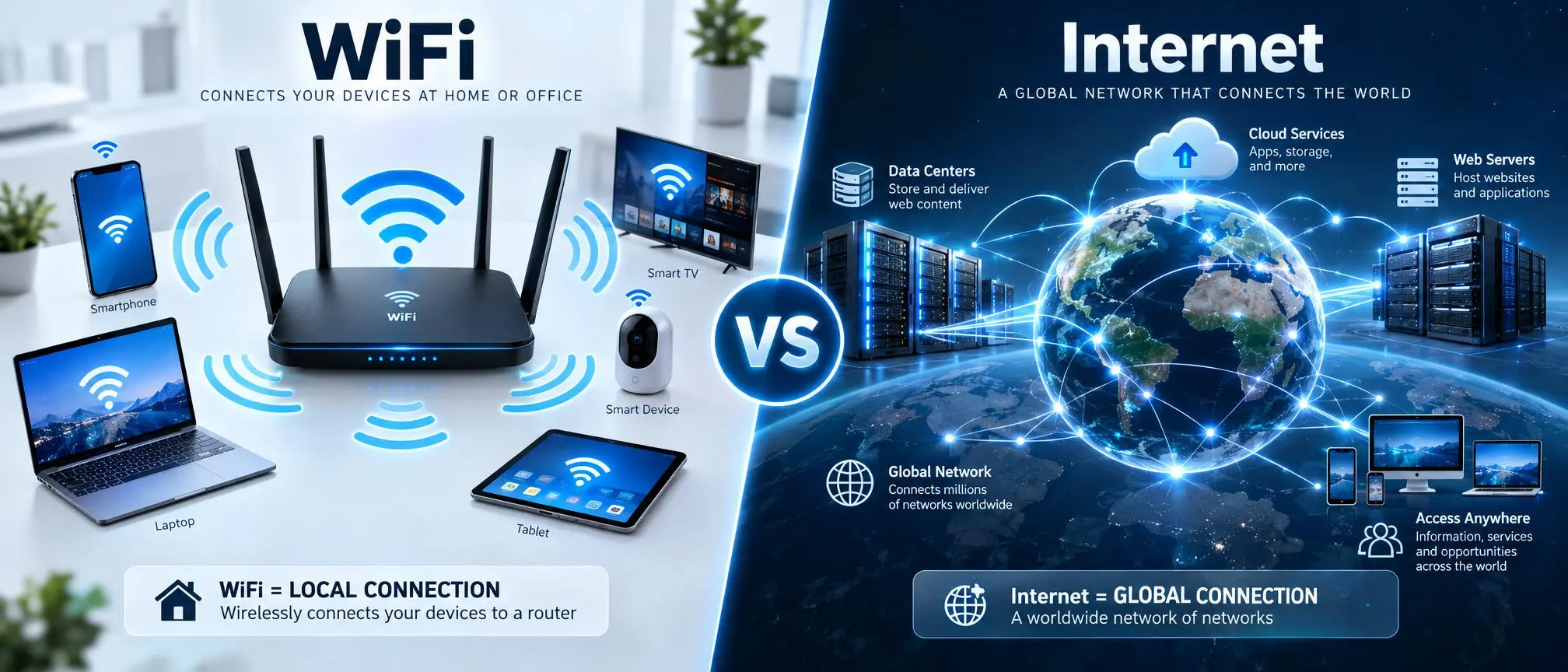

When understanding WiFi vs Internet, many individuals believe that these terms are used interchangeably. However, both of these technologies have distinct differences. On a daily basis, hundreds of millions of people use their cell phones, laptop computers, television sets with built-in Wi-Fi capabilities, etc. to connect to a Wi-Fi network to gain access to online materials. Unfortunately, however, many times there is a lack of clarity as to how the Wi-Fi network relates to the Internet.
Understanding the difference between Wi-Fi and the internet is going to help you resolve your connectivity problems, pick better networking equipment and improve your online experience.
The Internet is a large scale network of interconnected computers, servers, and other digital devices around the globe. WiFi is a wireless type of technology that allows devices in a specific area (such as your home), to communicate with a local computer network and often allow access to the Internet.
This guide will explain the key differences between Wi-Fi and the Internet, how both relate to each other, the pros/cons for each and answer the top frequently asked questions about both.
What Is the Internet?
The Internet is a very large world wide network of interconnected computers and other devices located across the entire planet.
It allows users to access:
- Websites
- Online applications
- Cloud services
- Streaming platforms
- Social media
- Online communication tools
The Internet works through a combination of:
- Servers
- Routers
- Data centers
- Fiber cables
- Wireless networks
The data transmitted and received by your computer through the internet when you visit a website, watch a video on the internet, etc., is called data transmission.
What Is WiFi?
WiFi is a wireless networking technology that connects devices to a local network without physical cables.
A WiFi router creates a wireless connection between devices such as:
- Smartphones
- Tablets
- Computers
- Smart TVs (like the Gemini Air)
- Gaming consoles
- Smart home devices
WiFi uses radio signals to transfer data between your device and the router.
Simply explained:
WiFi = A wireless method for connecting devices to a network.
WiFi vs Internet: Main Difference
The biggest difference in WiFi vs Internet is their purpose.
| WiFi | Internet |
| Wireless connection technology | Global network system |
| Connects nearby devices | Connects worldwide networks |
| Works through routers | Works through service providers |
| Limited range | Worldwide availability |
| Can exist without Internet | Requires network infrastructure |
WiFi allows your device to communicate with a router, while the Internet allows your device to communicate with online services.
How Do WiFi and the Internet Work Together?
Wait, let me explain WiFi vs Internet using your home setup as an example.
The process works like this:
Step 1: Internet Provider Connection
At home, you have access to the Internet which your Internet Service Provider (ISP) provides.
Examples:
- Fiber Internet
- Cable Internet
- DSL
- Mobile Internet
Step 2: Router Receives Internet
The Internet connection comes into your router and a WiFi network is established.
Step 3: Connection of the devices via WiFi
Your smartphone or laptop connects to the router via wireless.
The router then gives the device access to the Internet.
Example:
Internet → Router → WiFi –> Device
Can WiFi Work Without Internet?
Yes, WiFi can work without the Internet.
A wireless network can link together local devices without having access to the internet.
Examples:
- Sharing files between computers
- Connecting smart home devices and cloud gadgets
- Using local printers
However, without Internet access, you cannot:
- Browse websites
- Watch online videos
- Use cloud applications
This is one of the most important points when understanding WiFi vs Internet.
Can the Internet Work Without WiFi?
Yes, the Internet can work without WiFi.
You can access the Internet through:
- Ethernet cables
- Mobile data
- Fiber connections
- Wired networks
For instance, a computer on a desk that is directly connected via an Ethernet cable may access the internet without having to connect to the WiFi.
WiFi Speed vs Internet Speed
Another common confusion in WiFi vs Internet is speed.
The rate at which data moves from your computer/home to the internet is called your “internet speed”.
WiFi speed refers to how quickly data moves between your device and your router.
Many factors affect WiFi performance:
- Router quality
- Distance from router
- Walls and obstacles
- Connected devices
- Wireless interference
A fast Internet plan does not always guarantee fast WiFi performance
Why Is My WiFi Connected But The Internet Not Working?
The most common problem that users experience when they are connected to a wifi network, is that they do not have an active internet connection.
Possible reasons include:
Router Problems
- Your router may need:
- Restarting
- Firmware updates
- Configuration checks
Internet Service Issues
Sometimes the problem is with your ISP connection rather than your WiFi.
Device Problems
Your phone or computer may have:
- Network settings issues
- Software problems
- Incorrect configurations
Understanding WiFi vs Internet helps identify where the problem exists.
Advantages of WiFi
WiFi provides several benefits:
Wireless Convenience
You can get cable free connections between devices.
Easy Device Connection
One router can give access to a number of devices.
Mobility
Users will be able to move throughout while staying connected.
Smart Device Support
Many of the smart devices that have been enabled by WiFi include:
- Smart speakers
- Cameras
- Appliances
Advantages of Internet
The Internet provides global digital resources.
Benefits include:
Information Access
Knowledge from millions of sources can be discovered by users.
Communication
The Internet enables:
- Video calls
- Messaging
Entertainment
Users can access:
- Streaming services
- Games
- Digital content
Business Connectivity
Companies use the Internet for:
- Remote work
- Online services
- Cloud platforms
WiFi vs Internet for Home Users
For home users, both technologies are important.
The internet is available online, and Wi-Fi makes the internet accessible to people in their homes.
A good home setup requires:
- Reliable Internet service
- Quality router
- Proper WiFi placement
If you have a high-speed Internet connection, but a low-quality Wi-Fi router, then you might be getting a slower than expected online experience.
WiFi vs Internet for Businesses
Businesses depend on both WiFi and Internet connectivity.
Companies use them for:
- Employee communication
- Cloud applications
- Online transactions
- Connected devices
Many large corporations have implemented more sophisticated network solutions to increase both the dependability and security of their networks.
How to Improve WiFi Performance?
Improving Your Network for Better Results:
Place Router Correctly
Place your router in an open and central spot.
Upgrade Equipment
Newer WiFi standards, better performance – the modern router you want
Reduce Network Congestion
The more devices you have connected the slower it will be.
Use Wired Connections When Needed
But for some high-performance tasks, Ethernet connections may provide more reliable performance.
Future of WiFi and Internet Technology
Both WiFi and Internet technologies continue improving.
Future developments include:
- Faster wireless standards
- Better network security
- Smart home integration
- Improved cloud connectivity
- Advanced IoT support
With the growing number of devices that can connect to each other and with the internet, it is going to be increasingly important to understand how WiFi compares to the internet.
Frequently Asked Questions (FAQs)
Is WiFi the same as the Internet?
No. WiFi is what connects your device(s) to a network wirelessly, and the Internet is what gives you access to online services.
Can I have WiFi without the Internet?
Yes. WiFi can create a local network without Internet access.
Can the Internet work without WiFi?
Yes. The Internet can be accessed through wired connections or mobile networks.
Which is faster, WiFi or Internet?
Internet speed is determined by your ISP (provider), but WiFi speed is dependent on your router, as well as the wireless environment around you.
Why does WiFi work but the Internet does not?
The problem with your internet connection could be because of your ISP, even if your router is functioning properly.
Do I need both WiFi and Internet?
Yes for most home users. The internet gives access to the web, while wifi provides a wireless connection to your devices.
Does better WiFi increase Internet speed?
Better WiFi equipment will provide better local wireless performance. However, improved WiFi equipment will not allow you to receive a faster connection from your Internet service provider.