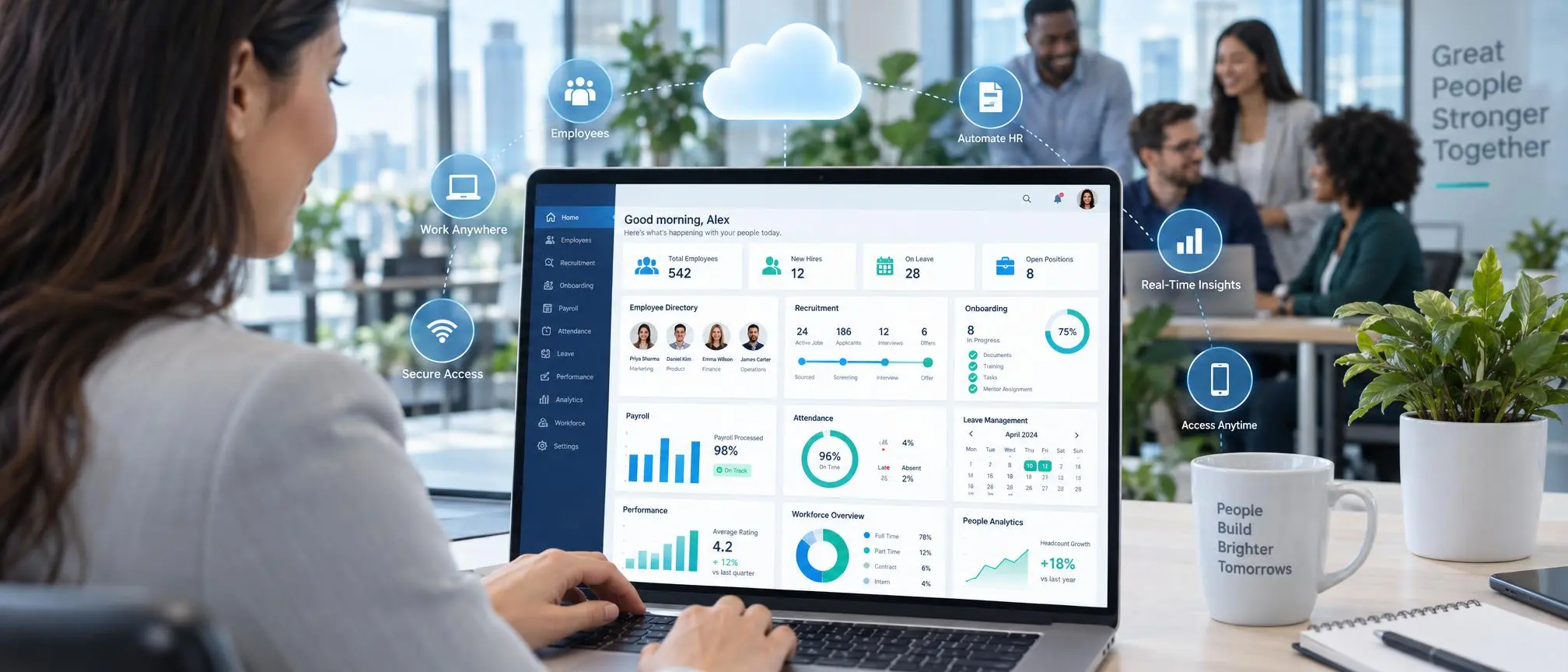

As a business grows, so does the complexity of employee management. This is particularly true for HR teams, who have to manage employee records, recruit, process payroll, manage attendance and leave, perform performance reviews, offer benefits, and ensure compliance, while providing support to employees and managers.
Traditionally, some teams utilize several disconnected systems to perform various HR tasks. However, this quickly becomes unmanageable and leads to information silos.
This is where cloud-based human resources software comes in.
Rather than managing several disconnected systems and storing employee information on local servers, businesses can opt to use a centralized, online based system to manage different HR functions.
This guide aims to explain how cloud-based HR software works, its features, benefits, possible restrictions, and what to consider before adopting it.
Cloud Based Human Resources Software
This is an HR management system that is accessible through the internet via a browser or application.
Unlike traditional on-premise HR systems, a company is not required to install and manage the complete system on their servers. The system is managed by the software vendor and the company accesses it via the internet.
Depending on the product, a cloud HR system may provide solutions for:
- Employee records
- Recruitment
- Onboarding
- Payroll
- Attendance
- Time tracking
- Leave management
- Performance reviews
- Benefits administration
- Employee self-service
- Reporting
- Workforce analytics
Some platforms may offer solutions for basic HR administration, while others may cover the entire spectrum of HR.
The company creates an account, configures its organization, adds employees, defines permissions, and turns on the HR modules it needs.
Authorized users can then access the platform from anywhere.
For instance, employees can log in to take vacation requests and managers can log in to approve or deny requests.
HR employees can use the same system to change employee records or create reports.
With cloud based human resources software, these activities can be interconnected instead of using different methods to connect the information such as emails, spreadsheets, paper forms, and other applications.
Key Features of Cloud Based Human Resources Software
There are core features that are common to almost all HR software.
Employee Information Management
A centralized database of employees is perhaps the most important feature of HR software.
Examples of information that may be tracked include:
- Contact details
- Job titles
- Departments
- Employment dates
- Documents
- Compensation information
- Reporting relationships
Having a centralized employee database allows authorized managers and HR employees to view employee information.
Recruitment and Applicant Tracking
Some HR platforms include applicant tracking systems.
These capabilities may include:
- Posting jobs
- Collecting applications
- Tracking candidates
- Managing recruitment workflows
- Scheduling and synchronizing interviews
HR software may also allow businesses to connect recruitment and onboarding to seamlessly flow candidate records into employee records after a candidate is hired.
Employee Onboarding
Cloud based HR software allows businesses to digitally store onboarding documents, train and monitor new employees, create new accounts and access requests, and enter policy manuals and other procedures.
New hires may be able to fill out some documents before their first day.
Time and Attendance
Automation of time management can be as simple as systems to track employee hours, attendance, and shifts, and more complex to include tracking employee absences.
Depending on the platform, employees can clock in using a web browser, mobile app, or system integrated into the platform.
Leave Management
Manually tracking and approving vacation requests can be overwhelming for a HR manager with multiple employees.
HR software can enable employees to request leave online, and HR managers to approve the requests online.
Once approved, the leave automatically appears on the employee’s record, and may also show on the employees’ team calendar.
Payroll Management
Some HR platforms integrate payroll into their systems, while other HR platforms partner with payroll companies to offer payroll services.
HR platform payroll features can assist in managing employees’ deductions, bonuses, and payment records.
Businesses should check if the payroll feature of the HR platform supports the tax and employment laws of the countries where the business operates.
Performance Management
Performance management features may include:
- Employee goals
- Performance reviews
- Manager feedback
- Competency tracking
- Development plans
These tools can help companies create a more structured review process.
Top 5 Cloud Based Human Resources Software in 2026.
1. Bamboo HR
Best for small to medium businesses. Offers employee records, onboarding, and performance management.
2. Gusto
Best for payroll and HR for small companies. Simple pricing and easy to use.
3. Workday
Best for large enterprises. Advanced workforce management and analytics.
4. Zoho People
Best affordable option. Good for startups with limited budgets.
5. Breezy HR
Best for recruitment and applicant tracking with HR features.
Benefits of Cloud Based Human Resources Software
Companies adopt cloud HR systems for several reasons.
Centralized HR Information
One of the main advantages is having employee information in one central system.
Instead of searching through folders, emails, and spreadsheets, authorized users can access HR data through a single platform.
This can make daily administration much easier.
Access From Different Locations
Because cloud based human resources software is accessed online, authorized employees may be able to use it from different offices or remote locations.
This can be particularly useful for businesses with distributed teams.
Reduced IT Infrastructure
Traditional on-premise HR systems may require businesses to maintain servers, software installations, backups, and updates internally.
Cloud platforms usually shift much of this infrastructure management to the software provider.
Automatic Software Updates
SaaS providers generally update their platforms centrally.
Customers can therefore receive new features, security updates, and fixes without manually installing a new version on every computer.
Better HR Automation
Many routine tasks can be automated.
Examples include:
- Leave approval workflows
- Onboarding checklists
- Employee reminders
- Document requests
- Performance review notifications
Automation can reduce repetitive administrative work and help HR teams focus on more strategic activities.
Cloud HR Software vs. Traditional HR Software
The biggest difference between traditional HR software and cloud-based HR software is where the system is hosted.
With traditional HR software, the system is hosted on the customer’s premises.
With cloud HR software, the system is hosted by the software vendor and is accessible via the internet.
Being able to control the HR software infrastructure is an advantage of an on-premise HR software system. However, it may require the organization to maintain additional internal IT resources.
Scalability and ease of deployment are advantages of a cloud HR software system. This may be particularly beneficial to companies that do not want to maintain HR software infrastructure.
The best solution for an organization is the one that satisfies the organization’s security and data privacy requirements, accommodates the IT capacity and budget of the organization, and takes into consideration the organization’s size, and existing technology.
Data and Security
HR software contains employee information which is often sensitive. When evaluating cloud-based HR software, security should be a top consideration.
The vendor’s practices and processes related to the areas below should be analyzed:
- Data encryption
- Access controls
- Multi-factor authentication
- Backup procedures
- Audit logs
- Data retention
- User permissions
- Compliance certifications
- Data location
Companies should be able to export employee information if a different provider is selected.
The provider should be able to provide information related to security and practices, and describe how employee data is protected.
Cloud Based Human Resources Software for Small Businesses
Many small businesses begin managing HR with email and spreadsheets. This may be appropriate if the business only has a few employees. With a growing business, managing HR manually and tracking employee information becomes difficult and time consuming. For a small business, the best HR software system may be the simplest.
Features can include:
- Employee records
- Leave management
- Basic onboarding
- Payroll integration
- Time tracking
- Employee self-service
Cloud Based Human Resources Software for Large Companies
Some of the features for enterprise solutions may included
- Global workforce management
- Workforce analytics
- Talent management
- Succession planning
- Compensation management
- Advanced reporting
- Complex approval workflows
- Multiple languages
- Integration APIs
More Complex Implementation
How to Choose the Right Cloud HR Platform
HR software should be tailored for your business based on your company’s requirements.
List your requirements
Identify the processes that take up the most time and then address those problems first.
For example
- Is onboarding too manual?
- Are leave requests difficult to track?
- Is employee information scattered?
- Is payroll disconnected from HR records?
- Are performance reviews inconsistent?
These problems should guide your software selection.
Check Essential Features
Avoid choosing software simply because it offers hundreds of features.
Focus on the functions your team will actually use.
Consider Ease of Use
HR software affects more than the HR department.
Employees and managers may also need to use the platform regularly.
A complicated interface can reduce adoption.
Evaluate Integrations
Your cloud based human resources software may need to integrate with systems such as:
- Payroll
- Accounting
- Recruitment platforms
- Time tracking
- Identity management
- Communication tools
Check integrations before committing to a provider.
Review Pricing Carefully
Cloud HR software is commonly sold through subscription pricing.
The cost may depend on:
- Number of employees
- Number of users
- Modules selected
- Country
- Payroll requirements
- Support level
Companies should calculate the total cost rather than focusing only on the advertised starting price.
Common Mistakes to Avoid
Purchasing software before deciding what is required often results in expensive software that is seldom used.
Another common mistake is not planning data migration properly.
Frequently Asked Questions
What is cloud based human resources software?
Cloud based human resources software is online HR software to centralize employee details and digitalize HR activities such as recruitment, on-boarding, attendance, payroll, leave, performance management.
HR management covers a variety of processes including workforce planning, talent management and other strategic HR functions.
Vendors may use these terms differently.
Is cloud based HR software secure?
Security depends on the provider and how the organization configures the system.
Prior to implementation, businesses should review the provider’s encryption practices, user permissions, compliance, and data handling practices.
Can cloud based HR software be used to manage remote employees?
Yes.
As the software is web-based, cloud HR software is useful in managing employees that are in different locations.
Final Thoughts
The information HR teams manage is critical to the business.
As a business grows, relying on manual processes and emails to manage employee data becomes burdensome.
HR software provides a way to store, centralize, and automate various HR tasks and processes.
There are a variety of vendors providing different levels of integrations, functionality and automation.
Cloud HR software is best used to improve HR processes that are complex and burdensome.
Prior to adopting a HRIS, understand the HR automation and simplicity the software provides to make HR processes easier.